Terminal Hacks - Show Uptime and Recent Reboots
Unsure how long your Mac has been running for before it's last reboot? Wanting to see a list of recent reboot dates for diagnostic purposes? There are a couple of useful Terminal commands that can help with this.


Show Uptime
Open Terminal: Finder > Applications > Utilities
In Terminal, type or paste the following…
uptime(return)
The following information will then be displayed...
Current time;
Amount of days and hours the Mac has been on since it was last rebooted;
Number of users;
Central Processing Unit (CPU) load averages.
Show Recent Reboots
Open Terminal: Finder > Applications > Utilities
In Terminal, type or paste the following…
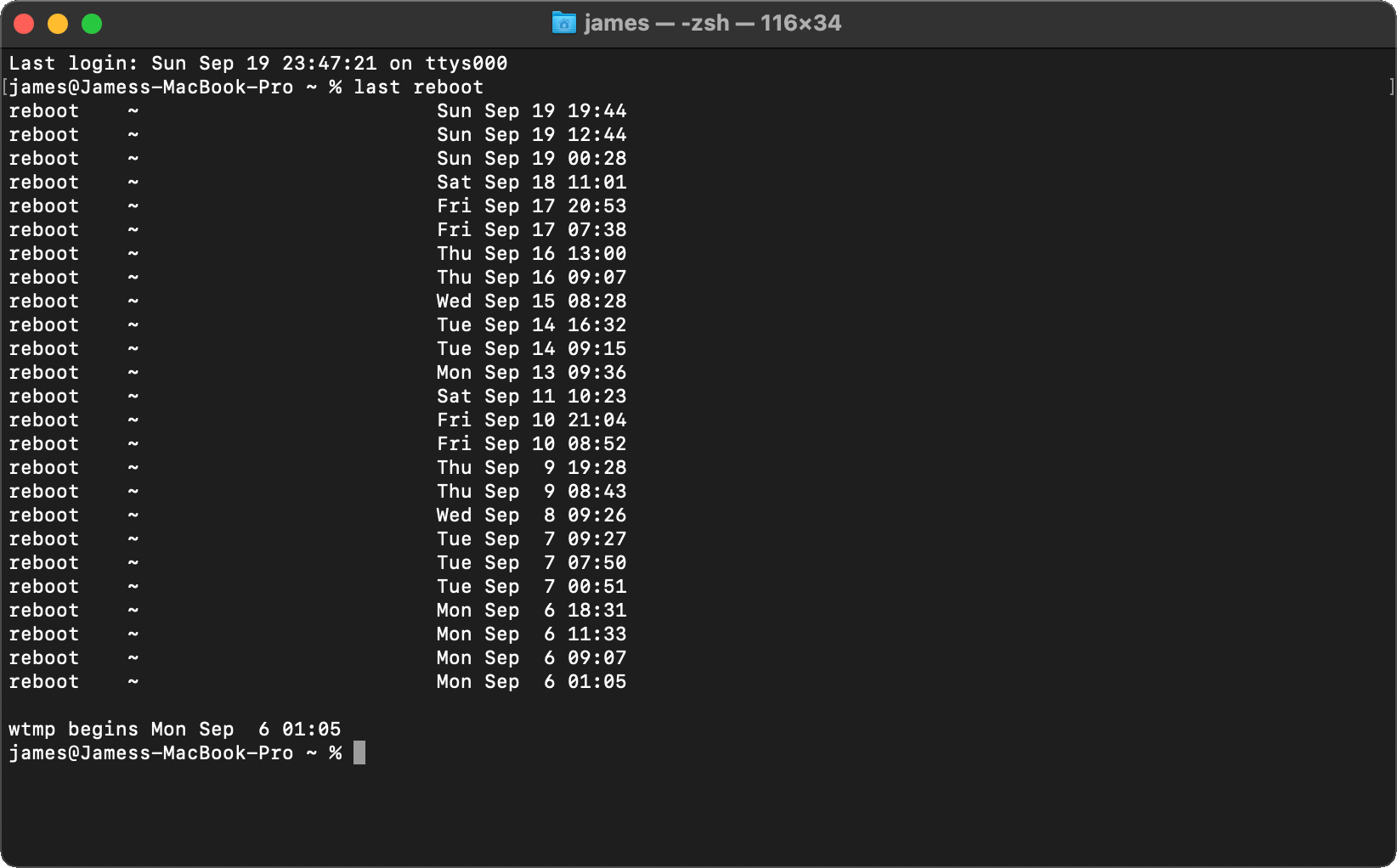
last reboot(return)
A list of dates will appear on screen showing each time the Mac has restarted.
The day, month, date and time of each reboot is displayed.
Originally posted 19 September, 2021. Updated 17 July, 2026.